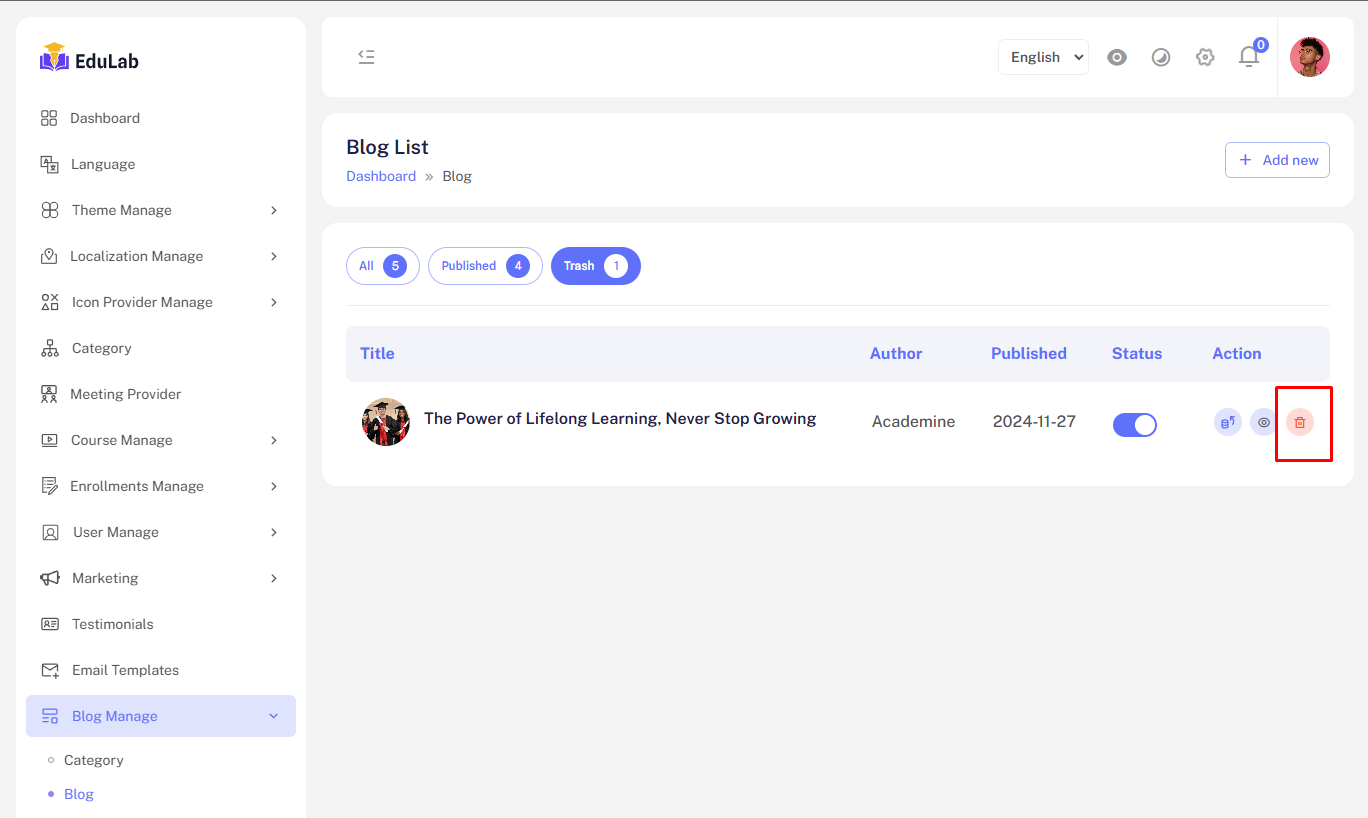
Blog
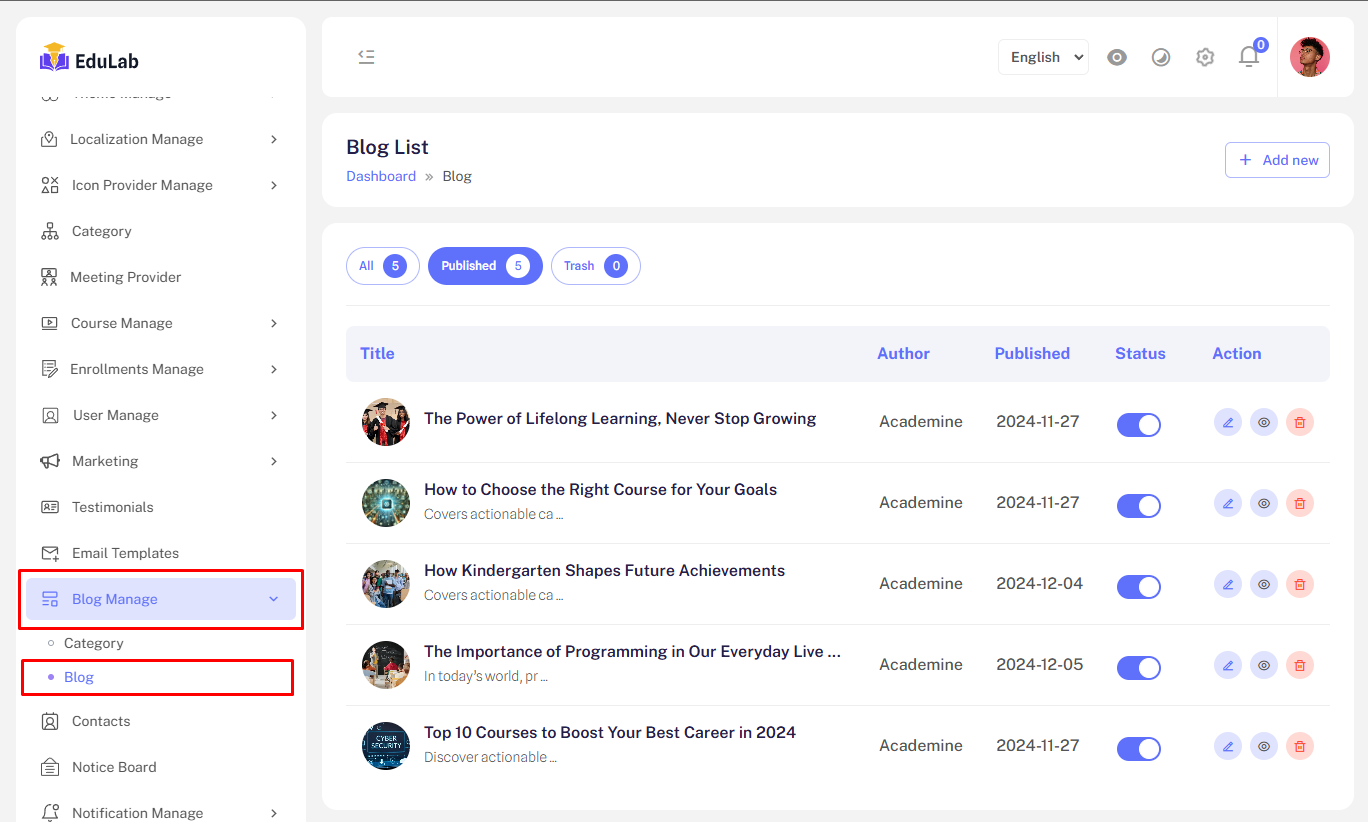
Go to Admin->Blog Manage->Category
The Blog Management feature provides to manage Blog. Administrators can:
Blog list
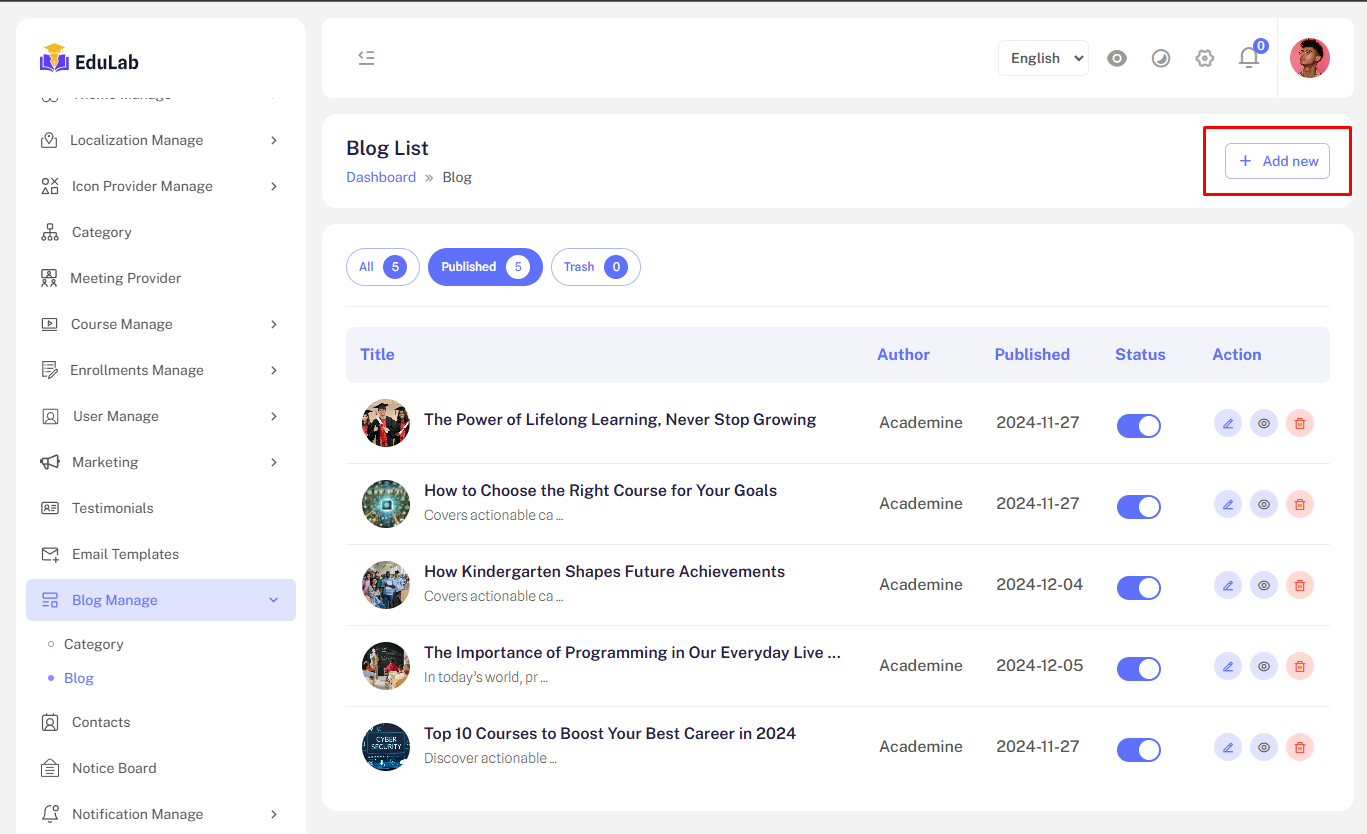
Create new Blog
Step 01: Click on Add New button
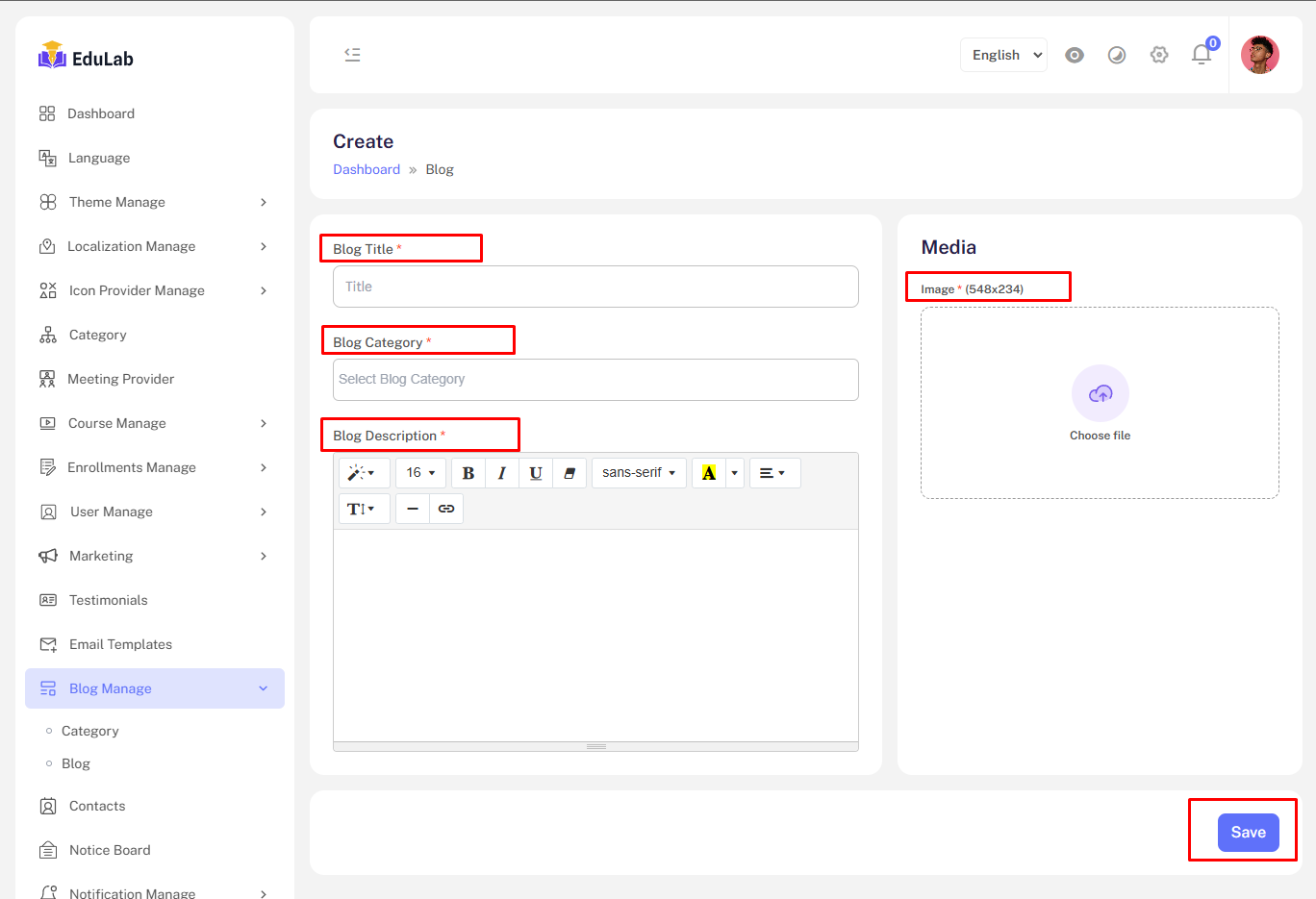
Step 02: Fill the information and click the Save button
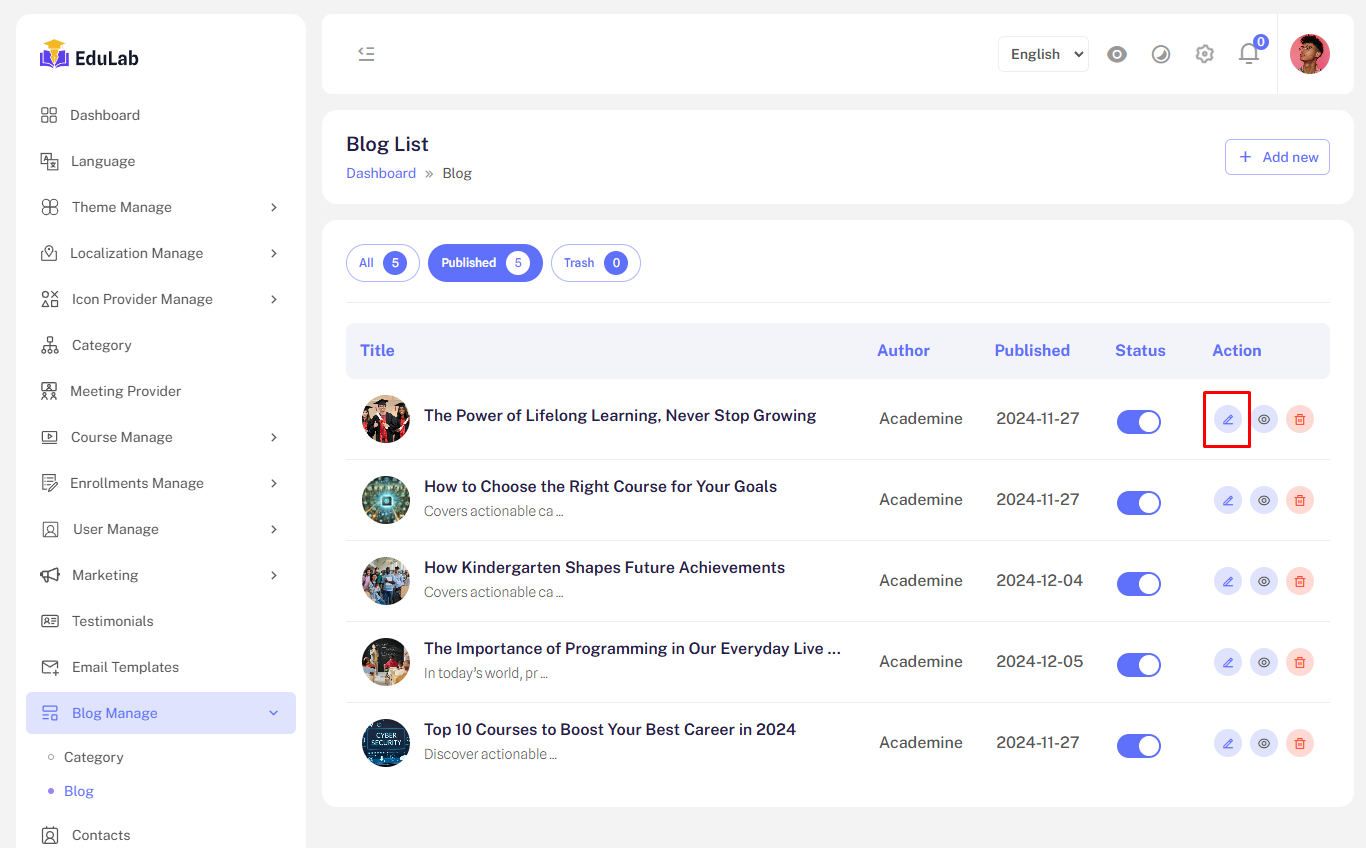
Edit
Step 01: Click on edit button
Delete
Step 01: Click the delete button
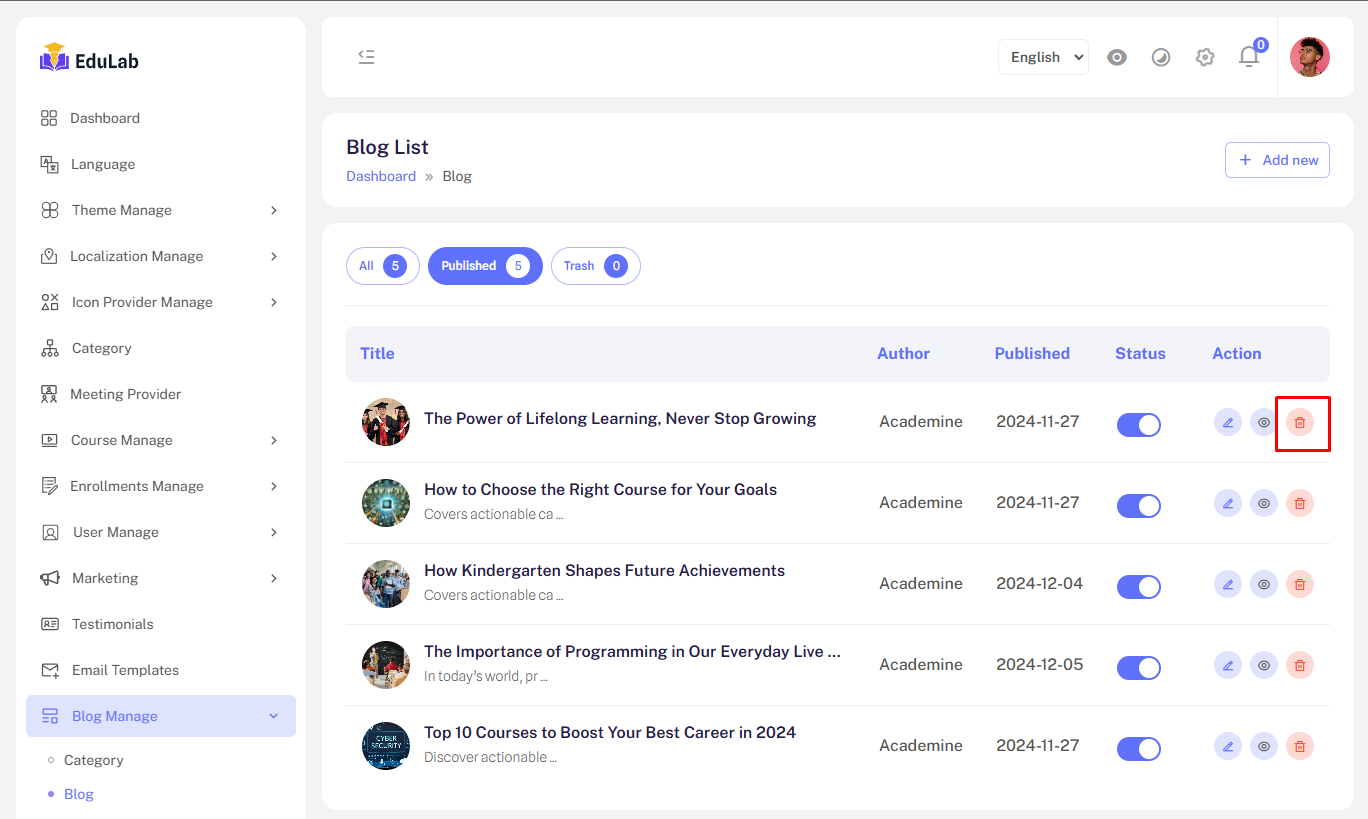
Don't worry we just move the data into trash and you can restore easily from trash tab.
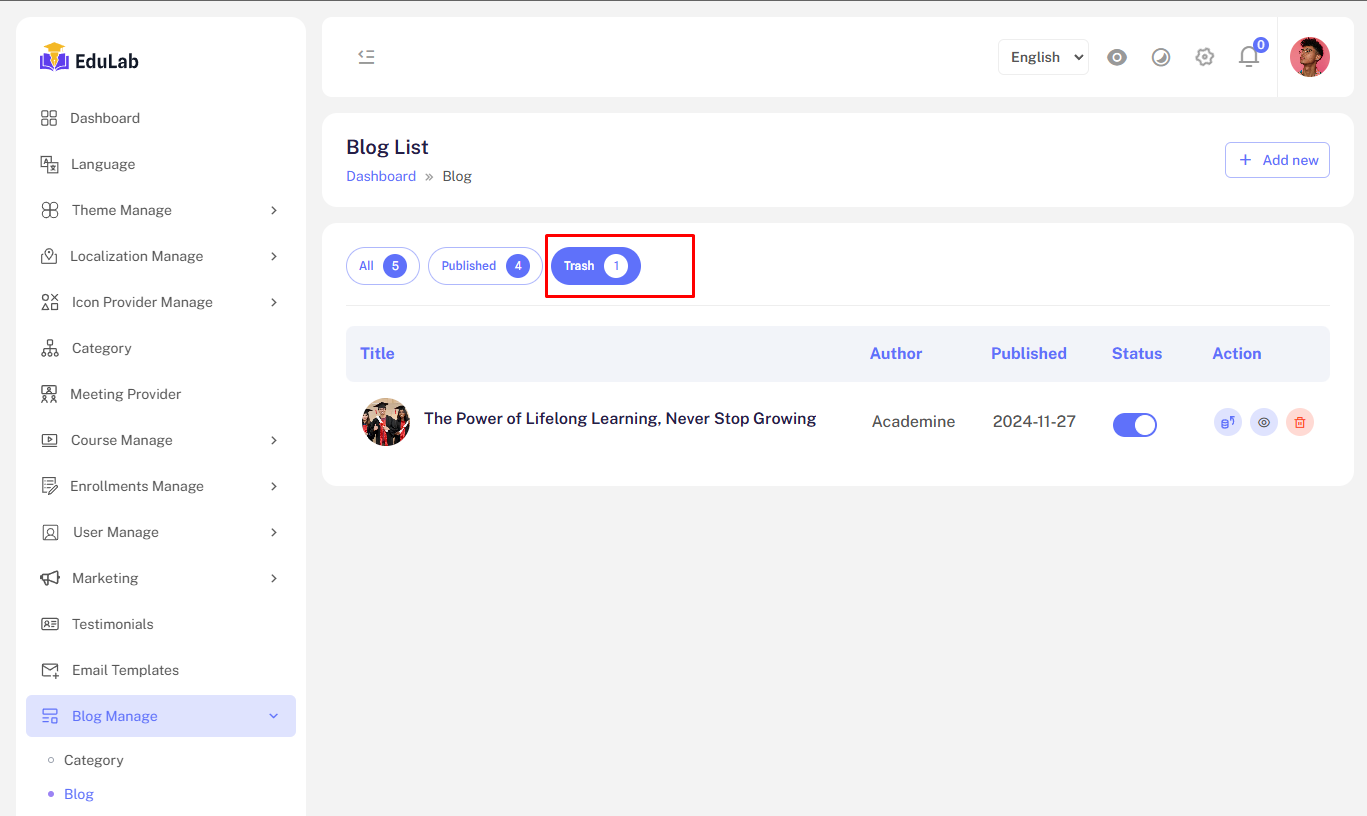
Trash
Click on trash button to see trashed Blogs.
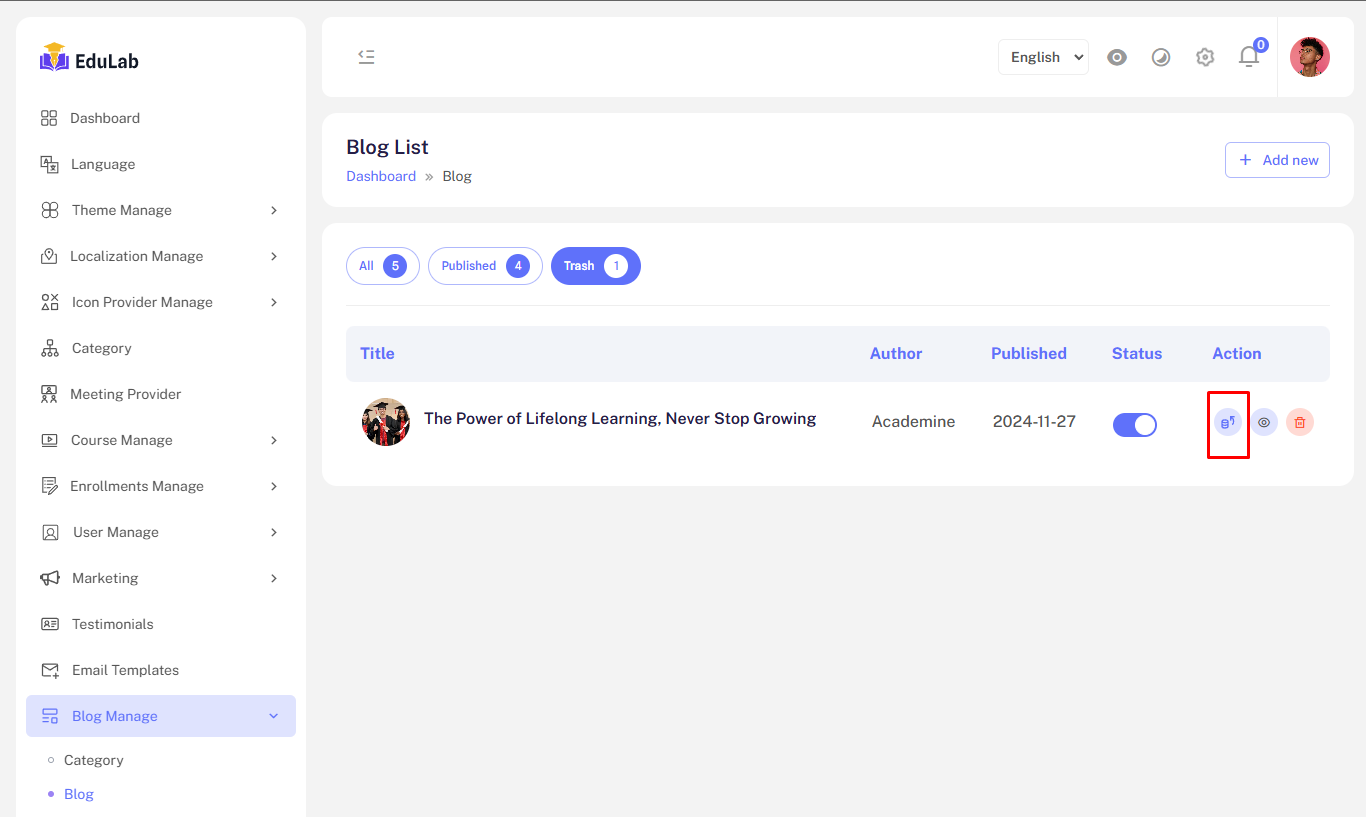
Restore
Click on the restore button to restore and republish the deleted Blog.
Permanent Delete
Step 01: Click on the delete button